Taskrux AI, a teammate
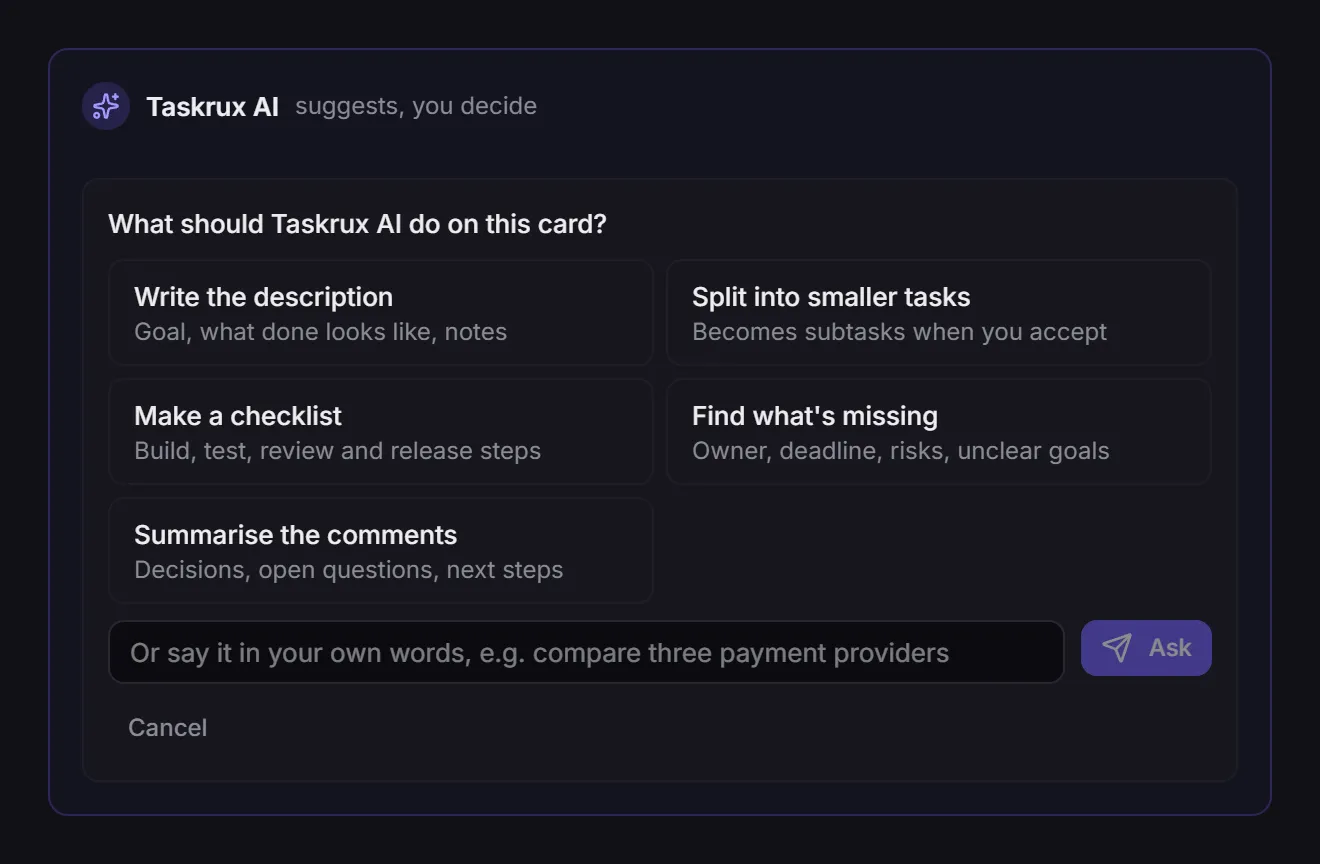
Give it a job on a card, like you would a colleague, and decide what to do with its answer.
Taskrux is the project board for software teams: live boards and sprints, release dates you can promise, a clear view of who has room, and AI that works where you do.
Free, no card needed · Web, Windows and VS Code · English and Italian
Taskrux replays your team's real pace 5,000 times and gives every milestone a likely date, a safe date and the chance of making it. When a date slips, it says how many cards to move out, before anyone has to ask.
To make 18 Dec safely, move about 3 cards out.
Every person, every week: the work assigned to them against the hours they can really plan. Time off, part-timers and focus time included, and a heads-up the moment an assignment overbooks someone.
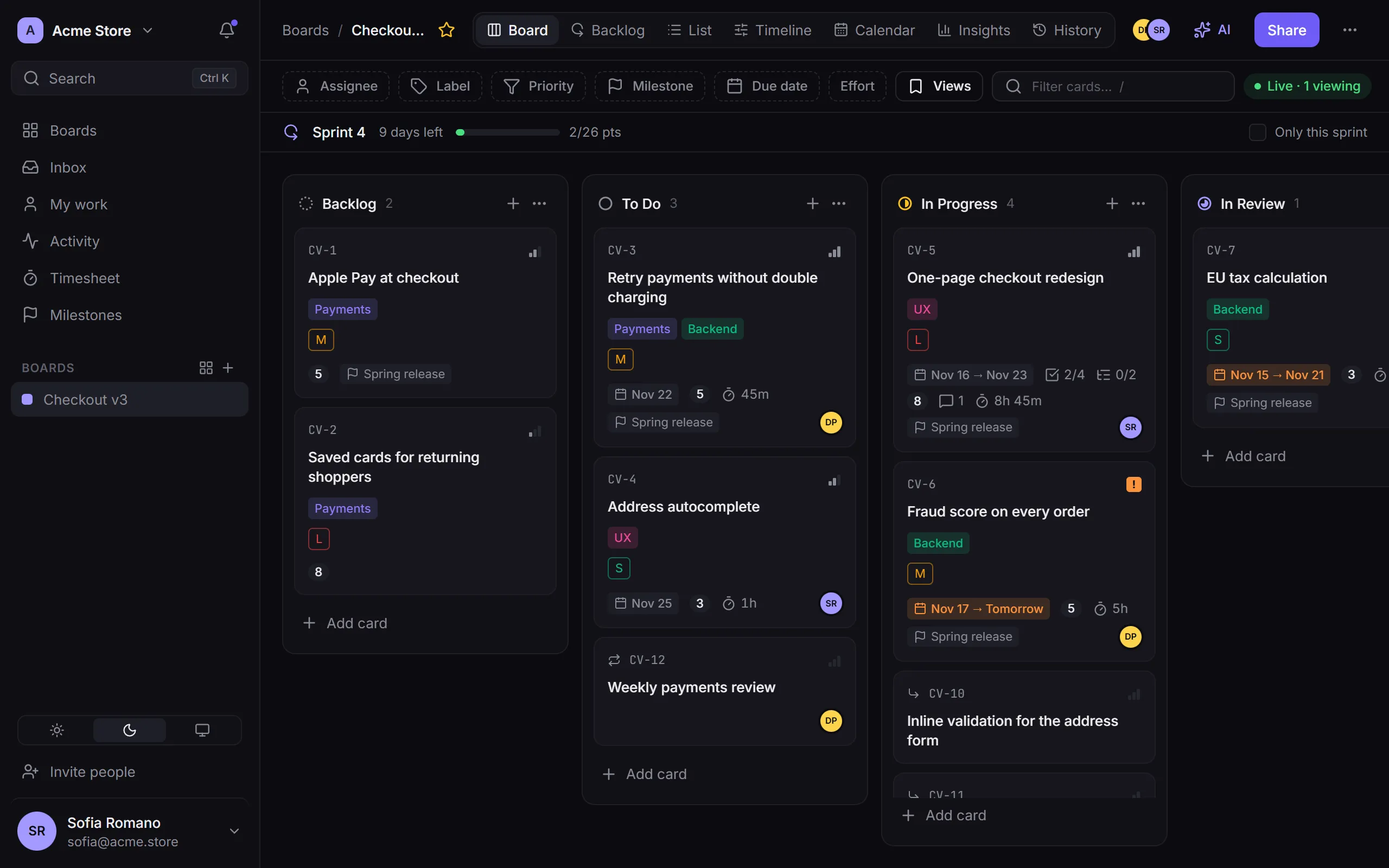
One set of cards, as many views as you need. Everything updates live for everyone.
Drag cards across columns with WIP limits, labels, checklists, sub-tasks and blockers. Everyone sees changes the moment they happen.
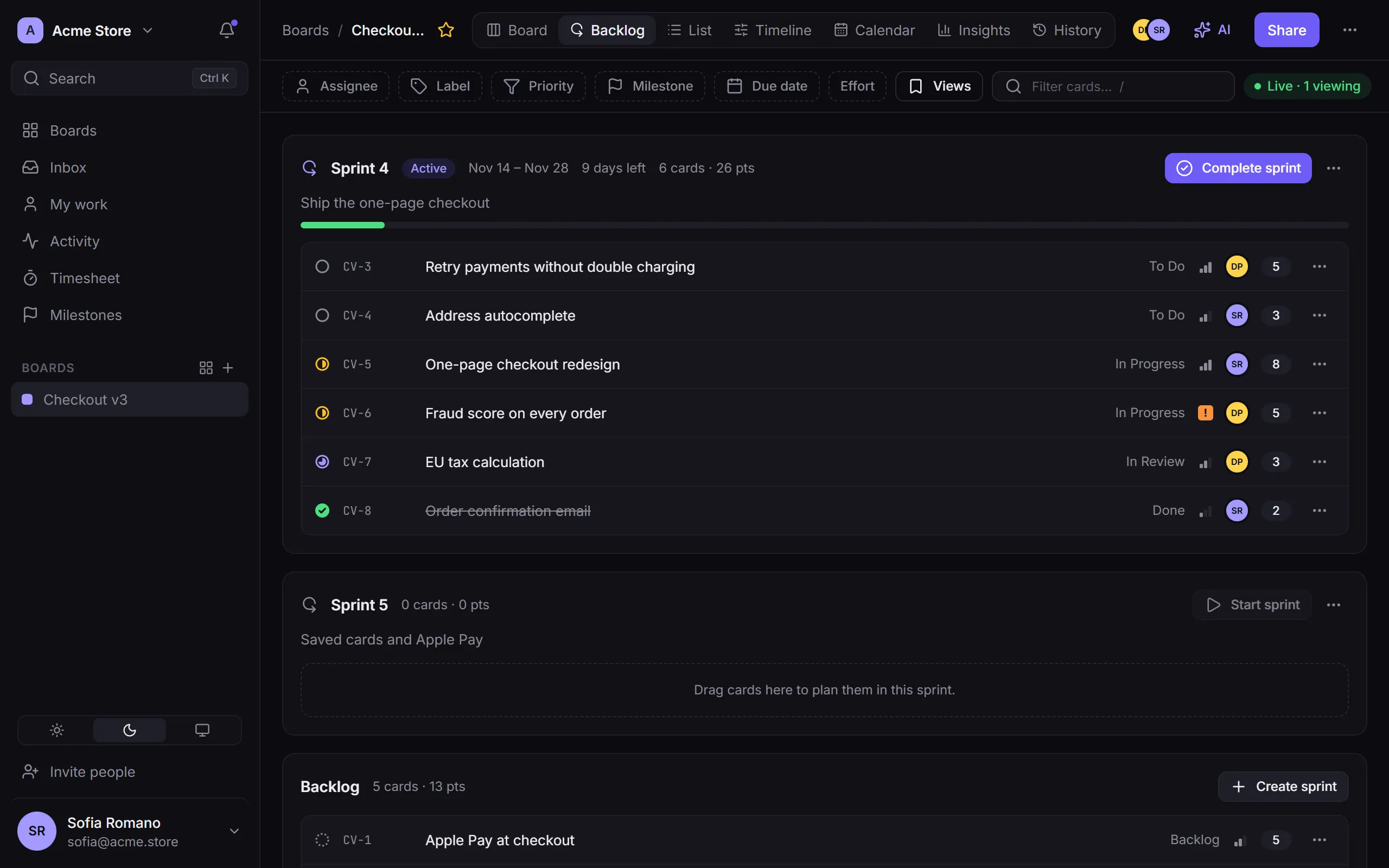
Plan sprints from the backlog with story points, start and complete them, and see each person's load before you commit.
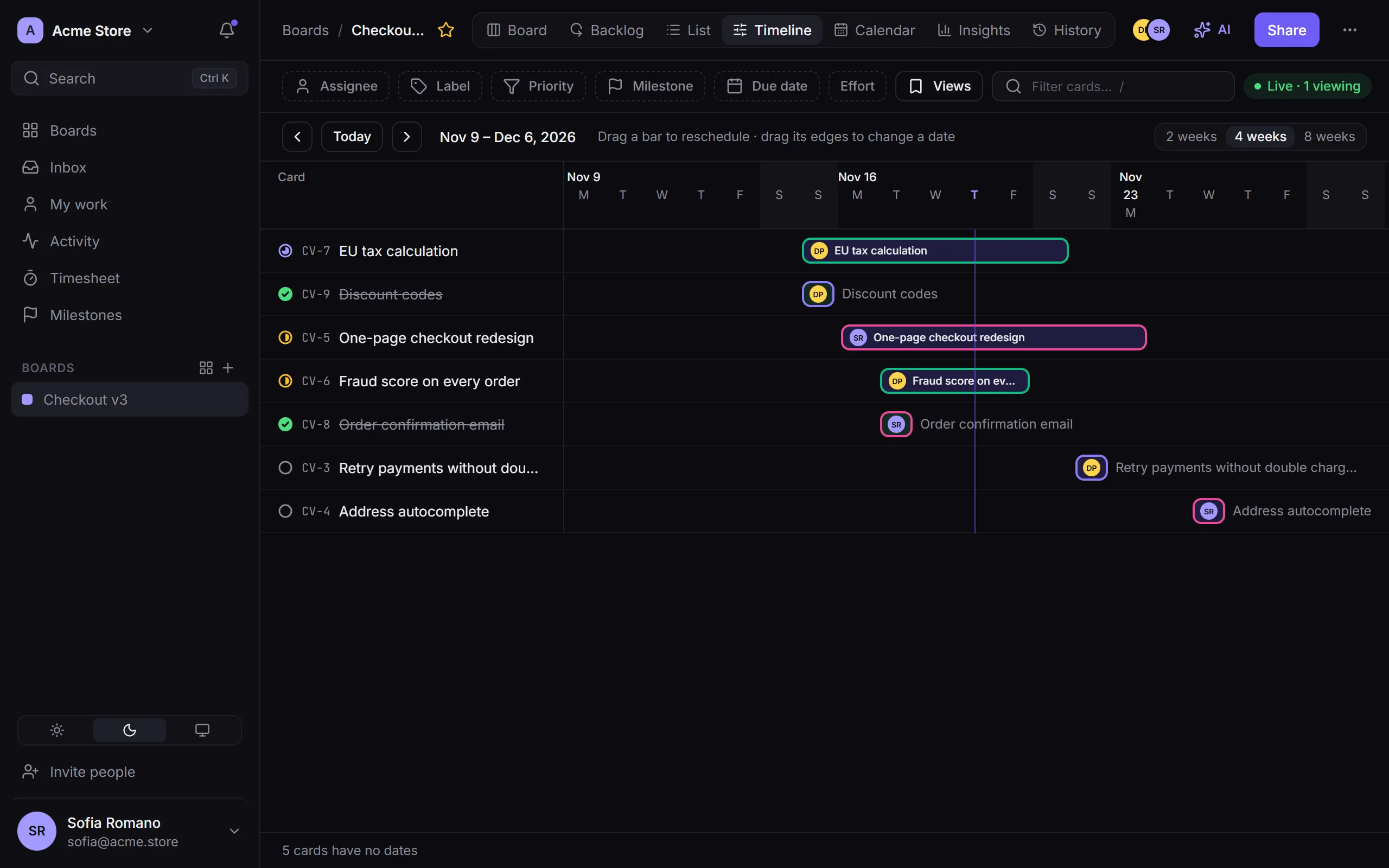
See cards as bars over time, with milestones on their dates and arrows from each card to the ones it blocks, red when the order is broken.
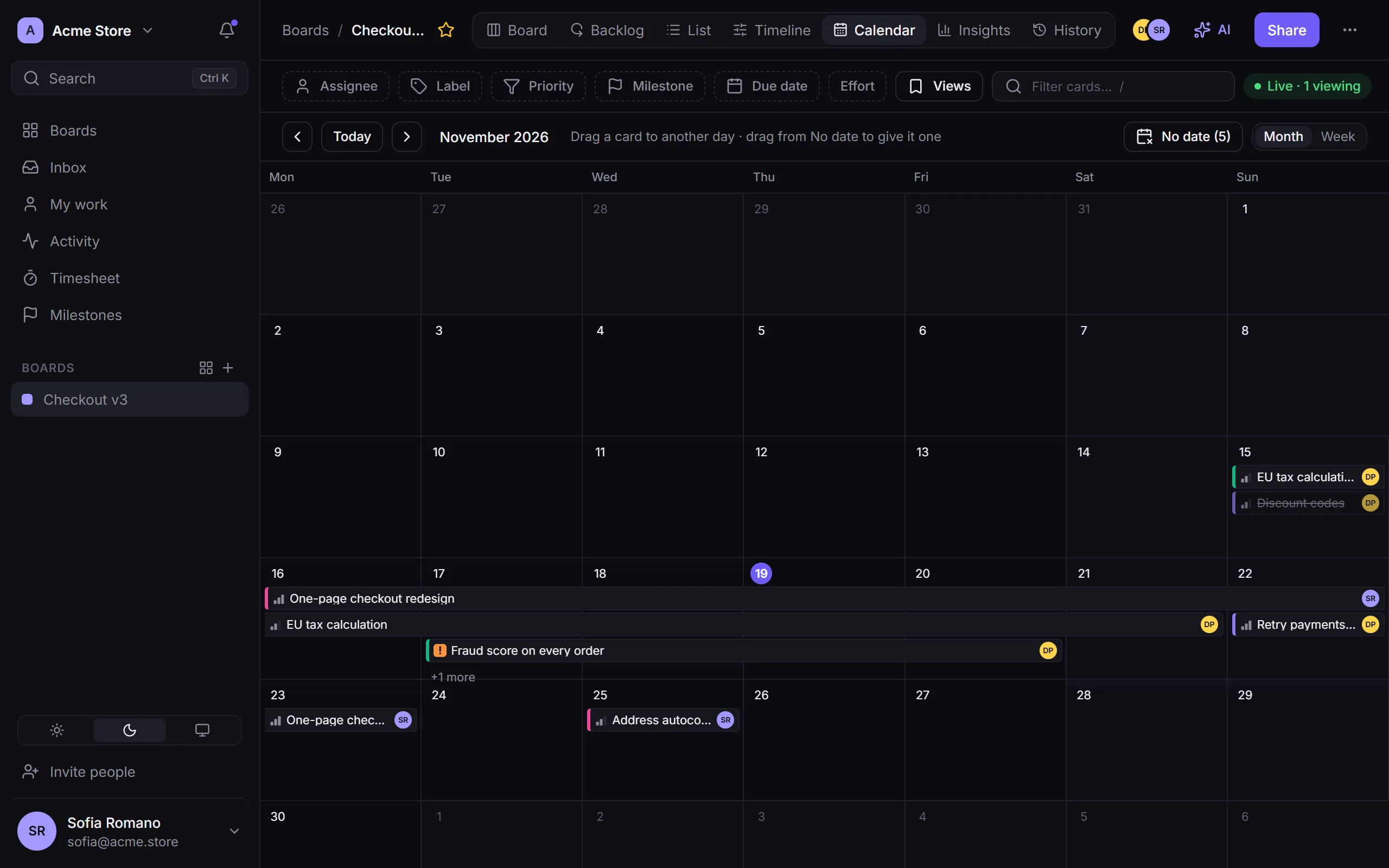
Due dates on a month or week calendar. Drag a card to move its date.
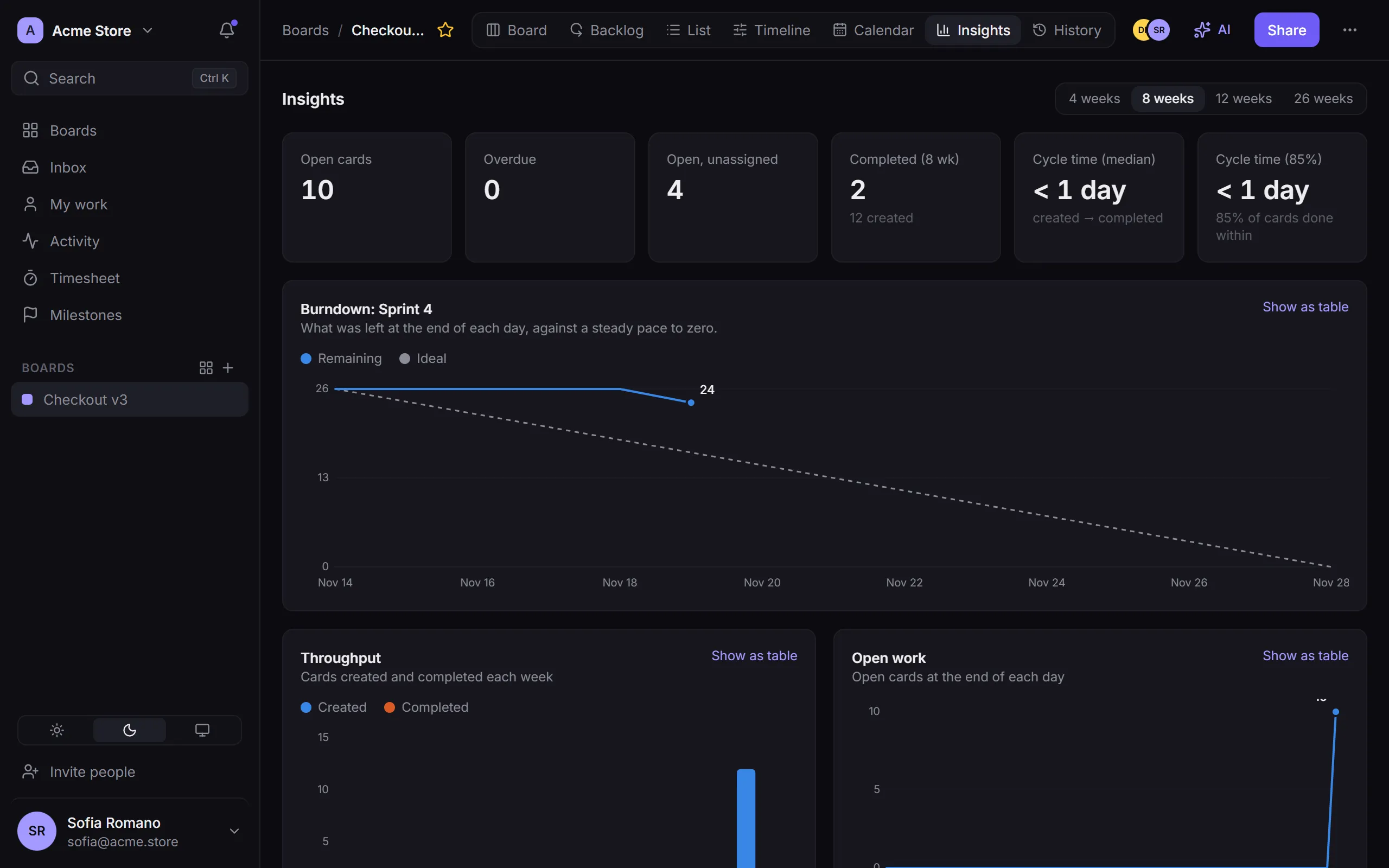
Throughput, cycle time, overdue work and who has too much on their plate.
Write descriptions, break work into sub-tasks, summarise long threads and turn meeting notes into cards. Bring your own model, or let your favourite AI tools work on your boards.
Give it a job on a card, like you would a colleague, and decide what to do with its answer.
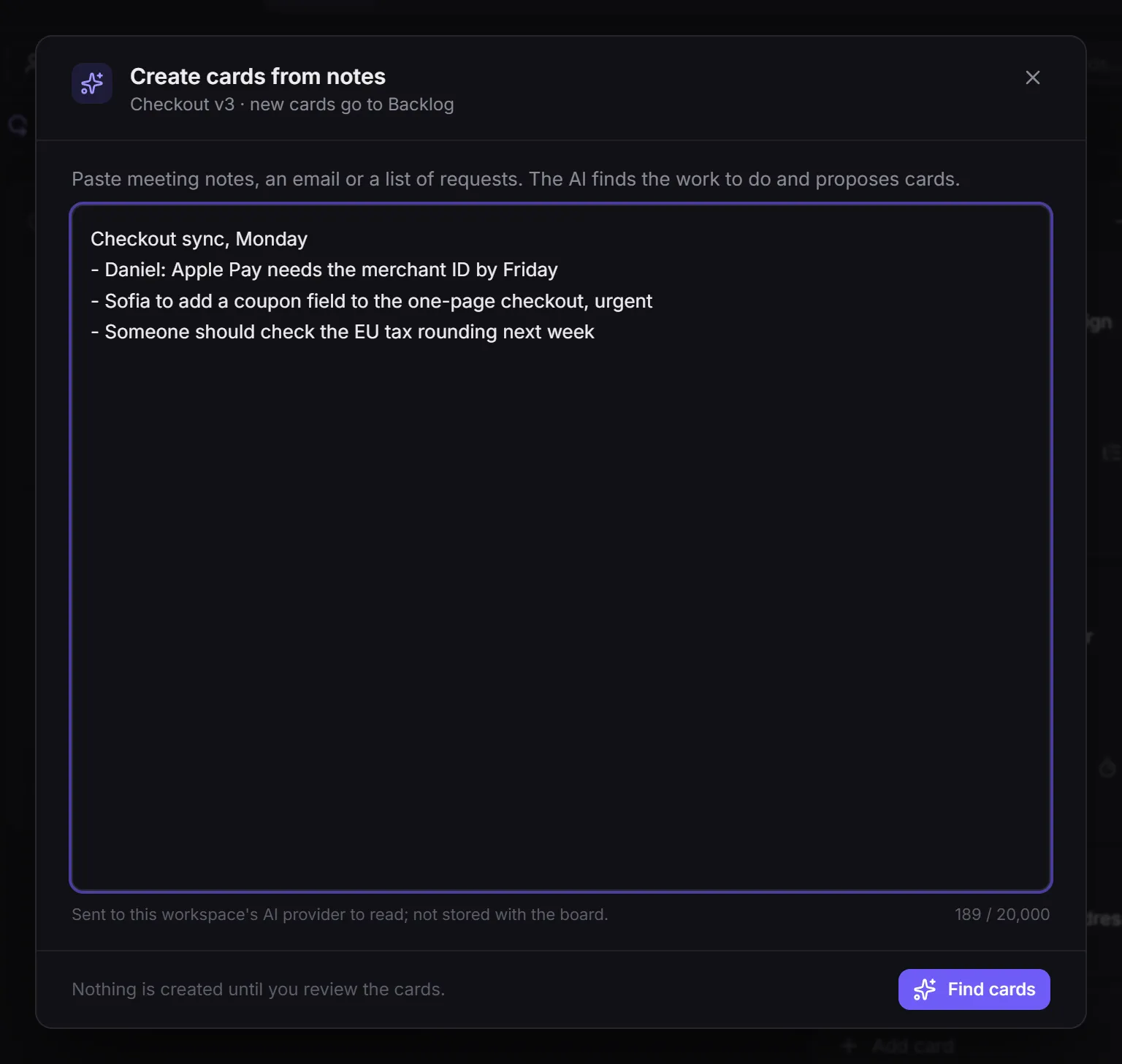
Paste meeting notes or a spec and get a list of cards to review and add.
Connect OpenAI, Anthropic, Google Gemini or any OpenAI-compatible model for your workspace.
Claude Code, Cursor, VS Code and others can read and update your boards safely, as you.
Cards move on their own as branches, merge requests and releases happen. Work from your editor, script anything with the API.
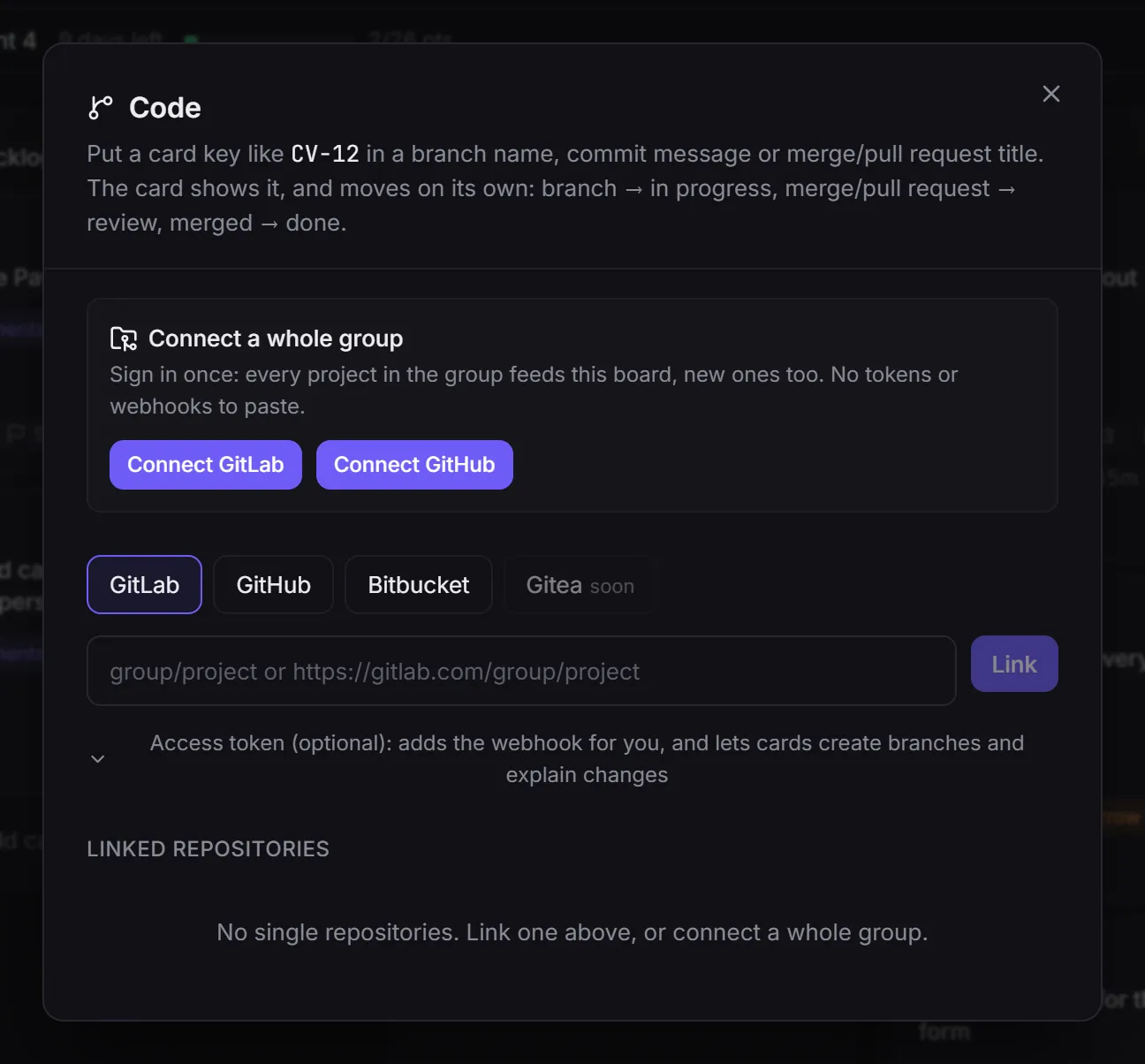
Connect a whole group in seconds. Create the branch from the card; branches, pull and merge requests and releases move cards for you and show up on them.
Boards and cards in editor tabs. Start work on a card and Taskrux creates the branch and moves the card.
Install it from a .vsix download. Marketplace listing coming soon. →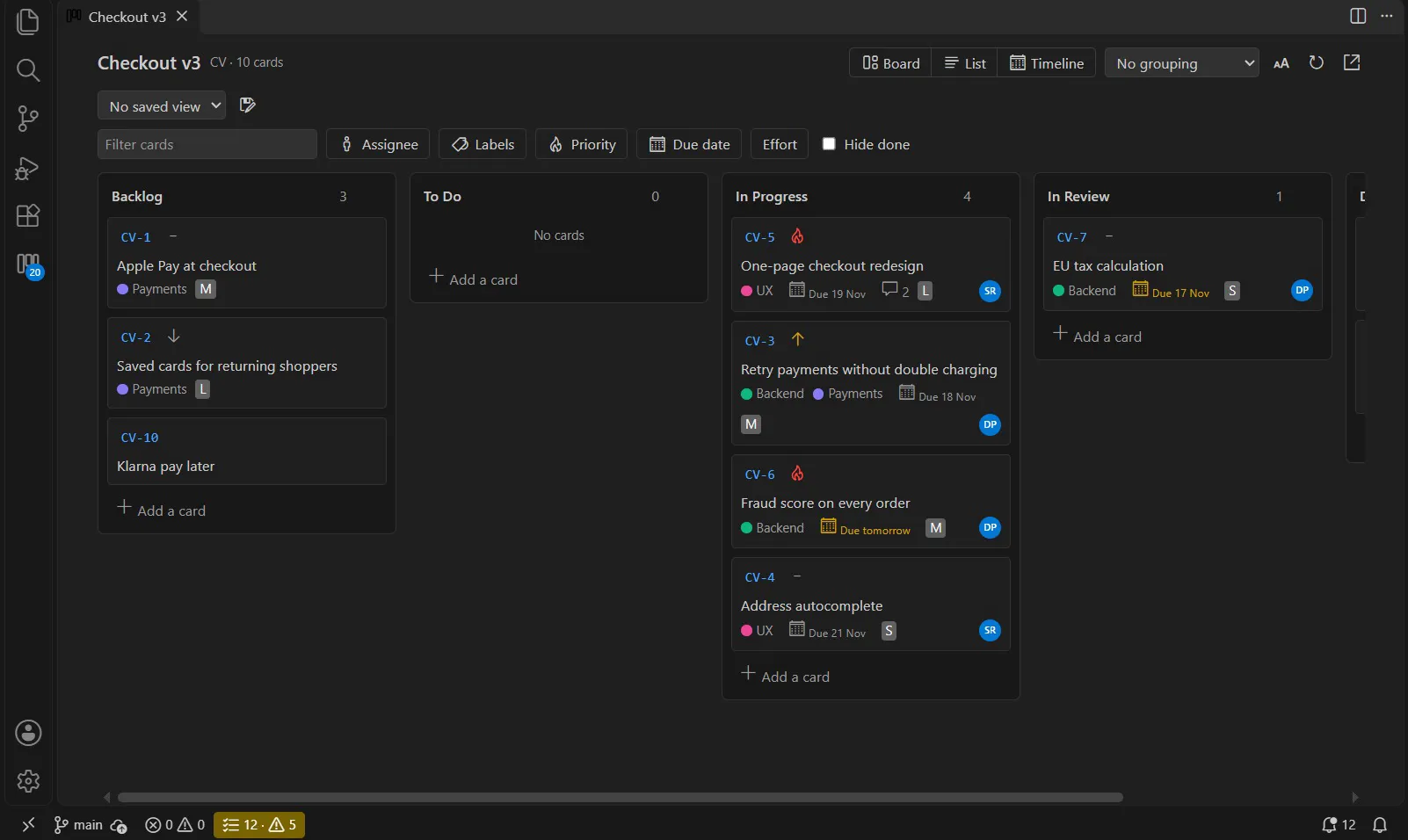
Personal tokens for scripts, CI jobs and your own integrations.
curl -H "Authorization: Bearer trx_api_…" \
https://taskrux.com/api/v1/boardsFollow a board in a channel. Add, move, assign, comment on and close cards with /taskrux, as you. Turn new errors into cards.
Every change appears for everyone, instantly.
When a card moves or gets a label, rules do the routine work.
Weekly reports and chores that create themselves.
The same extra details on every card, like effort or customer.
Timers, logged time against estimates, timesheets.
Releases across boards, with burn-up charts.
Read-only boards for clients and stakeholders.
Bring boards in from Trello, Jira or a spreadsheet. Download a backup or a CSV.
For Windows, opens instantly, works offline. macOS coming soon.
Cards, boards and comments, by any word or key.
In the app, by email, push or Slack. Your choice.
The whole product, in both languages.
Your cards from every board in one place, and the whole team's workload.
What happened on your boards, day by day, and whether it came from Slack or an AI tool.
Replay a board and see exactly how it looked at any moment.
All the cards as a sortable table.
Filter the board, then save the view for yourself or the whole team.
Start from a ready-made board, or save yours as a template for the workspace.
Move, label, assign or archive many cards at once, and undo it.
Talk about the work on the card. Type @ to bring someone in.
A workspace per team, and the right role for everyone, from owner to guest.
Google, GitHub or email, and a reset link if you forget your password.
What got done, what moved and what's stuck, in your inbox every week.
Do almost anything without the mouse, on the web, the desktop app and VS Code.
Deleted cards wait 30 days, so you can restore them with everything they had.
Star the boards you use most and find them at the top of the sidebar.
See which card waits for which, and spot the ones planned to start too early.
Your data stays in the EU, with encrypted backups several times a day.
Free, no card needed. Set up your first board in a minute and invite the team when you are ready.